Enabling the Signals
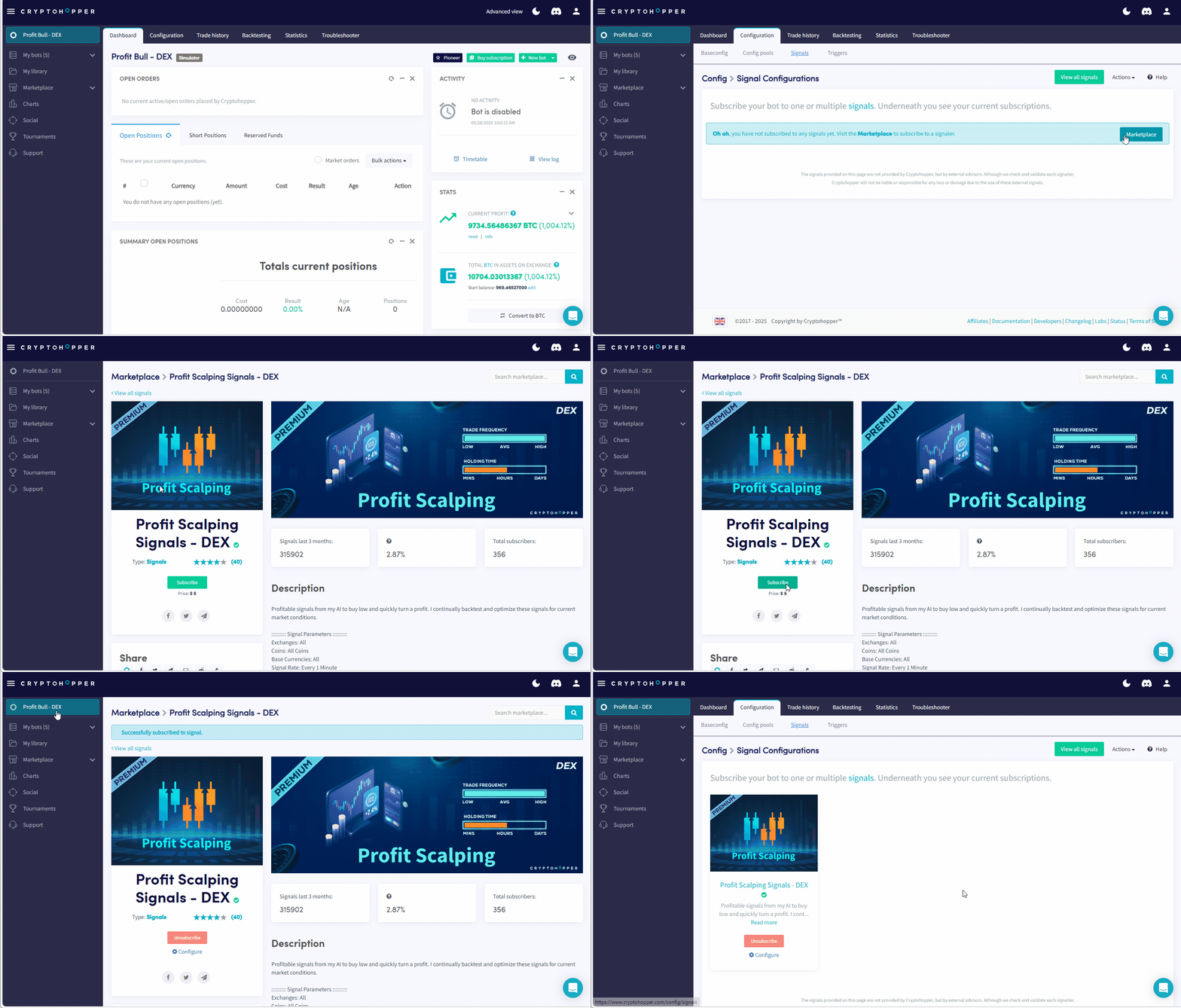
1. Go to the Cryptohopper Marketplace and go to the Profit Scalping Signals and/or Profit Hero Signals.
2. Click the [Subscribe] Button

3. Go back to your Dashboard
4. Go to [Configuration] > [Signals]
5. Make sure the signals appear in your hopper.
*PLEASE NOTE* -
If you reload/change your template it removes your signals and you must re-subscribe to your signals.
Below is a video showing how to add the Profit Scalping Signals to your hopper, but the process is the same for the Profit Hero Signals.
| Views | |
|---|---|
| 87 | Total Views |
| 87 | Members Views |
| 0 | Public Views |
| Actions | |
|---|---|
| 0 | Likes |
| 0 | Dislikes |
| 0 | Comments |